Enable Preferred Homepage
Alternatively, you can also set the Preferred Home Page directly from the dropdown menu in the main menu bar.
Click the dropdown from the main menu.
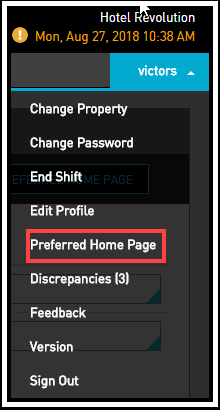
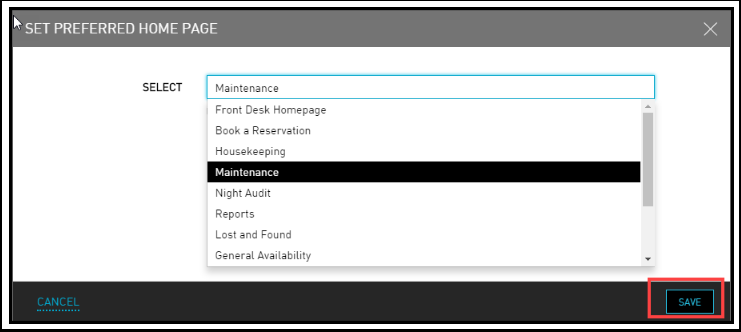
Click Preferred Home Page. The Set Preferred Home Page dialog box opens.
Select your preferred home page from any one of the options listed.
Click Save.
The selected preferred home page is displayed the next time you login.